1. Introduction (My Hands‑On Experience)
As a content creator who edits videos daily with both CapCut and desktop editors, I recently completed a full hands‑on test of Movavi Video Editor to see how it compares to CapCut in 2026. While CapCut is my go‑to for fast, trendy short‑form content, Movavi is a desktop‑only editing tool built for stable, long‑form, and offline video production. It offers multi‑track editing, AI tools, screen recording, and 4K exports, making it a solid desktop alternative for creators who want more control than CapCut’s desktop version provides.
Unlike CapCut, which relies heavily on cloud loading and online templates, Movavi runs entirely locally. After weeks of personal use, I found it much more reliable for tutorials, screen recordings, and longer YouTube‑style videos.

2. Pros of Movavi (From My Real Testing)
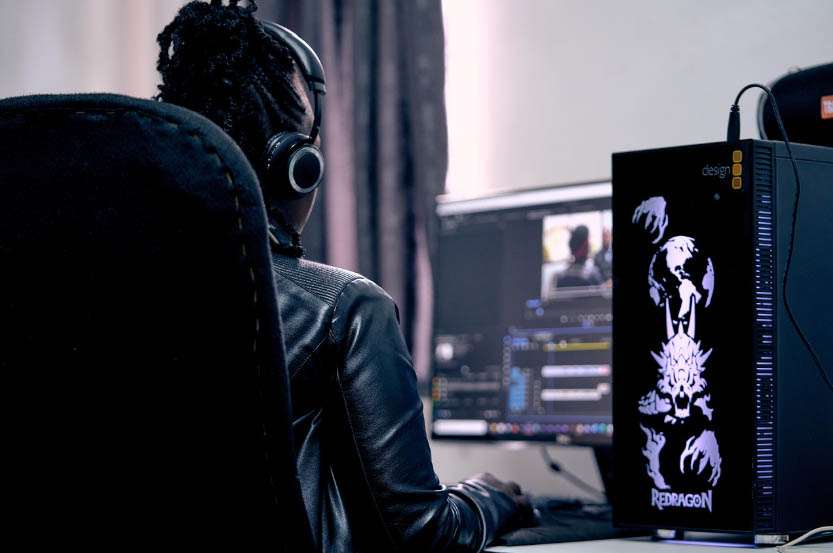
First, Movavi works fully offline. I often experience lag or slow previews on CapCut Desktop during unstable internet, but Movavi never froze or stalled, even when editing large 4K files. This alone makes it far more dependable for serious desktop editing.
Second, it has a true multi‑track timeline. CapCut Desktop simplifies tracks for beginners, which limits layered editing. With Movavi, I easily layered voiceovers, background music, subtitles, and overlay clips for clean tutorial videos.
Third, the built‑in screen recorder is my favorite feature. CapCut has no native screen recording, so I previously used extra software. Movavi lets me record and edit in one app, which saves plenty of time for educational and tech content.
Finally, its AI tools and 4K exports feel more desktop‑optimized. I tested auto‑subtitles, noise reduction, and silence removal, and they ran locally with accurate results. The 4K exports also preserved sharper quality compared to CapCut’s sometimes compressed output.
3. Cons of Movavi (Honest Creator Feedback)

The biggest downside I noticed is the lack of trendy templates. CapCut updates viral transitions, filters, and reel templates weekly, while Movavi focuses on classic editing styles. If you mainly make TikTok and Shorts, Movavi feels outdated.
Also, Movavi has no mobile version. I enjoy editing quick clips on my phone with CapCut while traveling, but Movavi is strictly desktop‑only. Its free trial is very limited too, with mandatory watermarks and export restrictions, whereas CapCut’s free version is clean and fully functional for most users.
Lastly, Movavi feels less intuitive for vertical short videos. Its layout is optimized for horizontal long‑form content, making short‑reel editing slower and less fluid than CapCut.
4. Free vs Paid Pricing Comparison

Movavi’s free version is only suitable for testing. It includes full basic editing features but adds visible watermarks, limited export durations, and locked premium AI tools.
The paid version comes with two options: an annual subscription at $54.99 or a one‑time lifetime license at $99.95. After comparing with CapCut Pro’s $9.99 monthly fee, I believe Movavi is more cost‑effective for long‑term desktop creators, while CapCut Pro is better for casual, short‑term users.
5. Who Should Use Movavi?

From my creator experience, Movavi is perfect for desktop‑focused long‑form creators, teachers, course makers, and privacy users. If you edit YouTube videos, screen recordings, and tutorials offline and want stable, clean 4K results without cloud dependency, Movavi is ideal.
However, it is not recommended for mobile‑only editors, full‑time short‑video creators, or users who need permanently free watermark‑free editing.
6. Final Verdict (My Personal Opinion)
Overall, CapCut and Movavi serve completely different purposes. CapCut is unbeatable for free, fast, trendy short‑form content with cross‑device syncing. Meanwhile, Movavi is the better desktop upgrade for stable offline editing, professional multi‑track control, screen recording integration, and higher‑quality long‑form exports.
If you’re tired of CapCut Desktop’s limitations and want a reliable desktop editor for serious content creation, Movavi Video Editor is absolutely worth trying in 2026.
