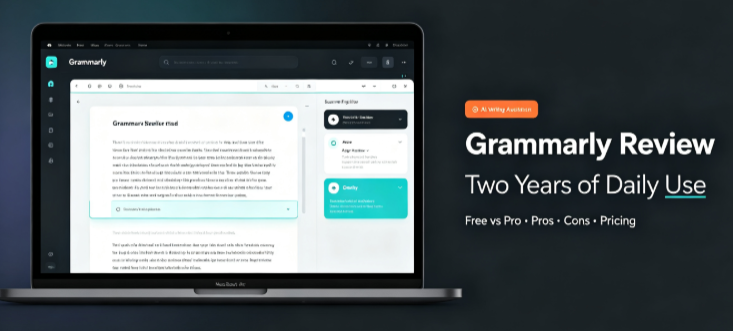
Quick verdict: I’ve written over 400,000 words with Grammarly running in the background across Google Docs, Gmail, WordPress, and a dozen other apps. It has caught typos that would have embarrassed me, tightened sentences I didn’t realize were bloated, and once flagged a tone issue in an email that probably saved a client relationship. It’s also made suggestions that were flat-out wrong, tried to strip the personality out of my writing, and nagged me with upgrade prompts until I wanted to uninstall it.
I’ve used the free plan, paid for Pro for eighteen months, and tested the newer AI features as they rolled out through 2026. This is what I found.
What Grammarly Actually Does
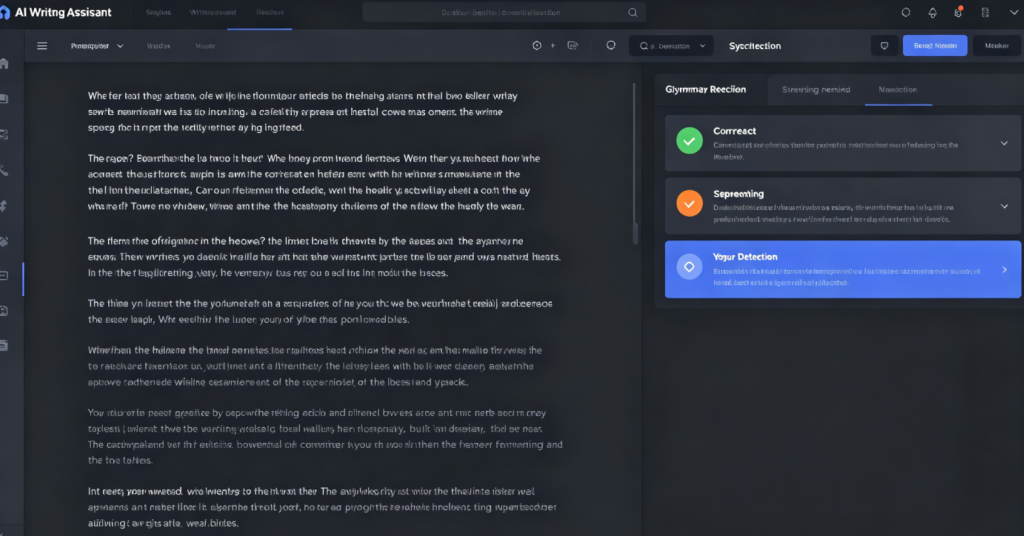
Grammarly is an AI-powered writing assistant that checks your text for grammar, spelling, punctuation, clarity, tone, and style as you type. It runs as a browser extension, a desktop app for Windows and Mac, a mobile keyboard for iOS and Android, and integrations inside tools like Google Docs, Microsoft Word, and Outlook.
The free plan gives you real-time grammar and spelling corrections, basic tone detection, and 100 AI prompts per month for text generation. The Pro plan, which costs $12 per member per month when billed annually or $30 month-to-month, unlocks full-sentence rewrites, advanced tone adjustment, plagiarism detection, AI-text detection, and 2,000 AI prompts monthly.
In 2026, Grammarly’s parent company rebranded to Superhuman and bundled the writing assistant into a broader suite that includes an email client, a docs tool, and an AI assistant called Superhuman Go. The writing product is still called Grammarly and can still be subscribed to separately.
Pros
- Grammar and spell-checking is genuinely best-in-class. I’ve tested ProWritingAid and LanguageTool. Neither catches as many real errors without drowning me in noise. Grammarly’s suggestions are highly customizable, and you can tell it to ignore certain rules you disagree with.
- It works everywhere. Gmail, Google Docs, WordPress, LinkedIn, Slack, Notion, even inside my CRM. I don’t have to copy text into a separate editor. It just runs in the background.
- Plagiarism detection is more accurate than I expected. In independent testing, Grammarly correctly identified plagiarism in all three test texts and its AI detector flagged AI-generated content perfectly. For anyone publishing online, this is a real safety net.
- Tone adjustment saved me from myself. I once drafted a client email that was sharper than intended. Grammarly flagged it as “direct” and suggested a softer version. I sent the revised one and got a positive reply. That alone justified the subscription that month.
- The free plan is not a crippled demo. For casual users who just need basic spelling and grammar help, the free tier is genuinely enough. The core correction engine is the same across plans.
Cons
- Style suggestions can flatten your voice. Grammarly tends to favor a neutral, corporate tone. Left unchecked, it will rewrite your sentences into something safer and blander. I’ve had to reject suggestions that would have stripped personality from my writing.
- Some suggestions are just wrong. Not often, but enough to matter. It has flagged correct constructions as errors and suggested awkward phrasing that I’d never use. You need to stay awake and judge each suggestion rather than accepting them blindly.
- AI-generated text sounds robotic. The generative AI feature can draft paragraphs, but the output reads like it was written by a committee. I’ve never used a full AI-generated paragraph without substantial rewriting.
- The upgrade prompts never stop. Even on Pro, Grammarly finds new ways to advertise features I’m not using. On the free plan, it’s relentless. This is the single most common complaint I see from long-term users.
- Monthly pricing is punishing. At $30 per month billed monthly, the Pro plan costs two and a half times the annual rate. If you want the good price, you have to commit to a year upfront.
Pricing: Free vs. Paid Plans (2026)
| Plan | Price | What You Get |
|---|---|---|
| Free | $0 | Grammar, spelling, punctuation corrections, basic tone detection, 100 AI prompts/month |
| Pro | $12/member/month billed annually ($144/yr); $30/member/month billed monthly | Everything in Free plus full-sentence rewrites, advanced tone adjustment, plagiarism detection, AI-text detection, 2,000 AI prompts/month, priority support |
| Business (Superhuman Suite) | ~$33/member/month billed annually | Everything in Pro plus Superhuman Mail, Superhuman Docs, and Superhuman Go AI assistant |
| Enterprise | Contact sales | Unlimited AI prompts, dedicated support, SSO, data loss prevention, granular permissions |
A 7-day free trial is available for Pro. Grammarly also offers a quarterly Pro option at $60 per three months.
For most individual writers and freelancers, Pro is the sweet spot. The jump to the Business suite only makes sense if you want the email and docs tools bundled in. Enterprise is for teams that need security controls and centralized admin.
Who Should Use Grammarly
Grammarly is a strong fit if:
- You write professionally in English and want a second set of eyes on every email, document, and social post
- You’re a student or non-native speaker who needs to polish academic or professional writing
- You publish content online and want plagiarism and AI-detection tools built into your workflow
- You want a tool that works everywhere without requiring you to change how you write
Skip it if:
- You’re on a tight budget and only need basic spelling and grammar help — the free plan covers that
- You write creatively and value a distinctive voice — Grammarly’s style suggestions will fight you
- You mainly write in languages other than English — Grammarly’s non-English support is limited
- You’re looking for a full AI writing generator — the generative output is not competitive with dedicated tools
Final Thoughts
After two years and hundreds of thousands of words, Grammarly has earned a permanent place in my workflow. It catches mistakes I’d otherwise miss, and its plagiarism and AI-detection tools give me confidence when publishing. The free plan alone is better than most paid grammar checkers I’ve tried.
But it’s not a magic wand. It makes wrong suggestions. It tries to sand down your writing into something generic. It nags you constantly. And if you pay monthly instead of annually, you’re paying more than double for no good reason.
My advice: start with the free plan. Use it for a month. If you find yourself wanting full-sentence rewrites and plagiarism checks, upgrade to Pro on the annual plan. Skip the Business suite unless you specifically need the email and docs tools. And never accept every suggestion without thinking. Grammarly is a tool, not an editor. You’re still the one in charge.
