Best Free AI Tools for Freelancers in the USA can drastically cut down your admin and writing workload, and I put them all to a real-world test. Quick verdict: I spent a full week running free AI tools against real freelance projects — client emails, proposals, invoices, research, and one nightmare revision cycle. No demo prompts. Only work that actually needed to get done. Here’s what worked, what wasted my time, and which free tools I’d recommend to any freelancer in the USA.
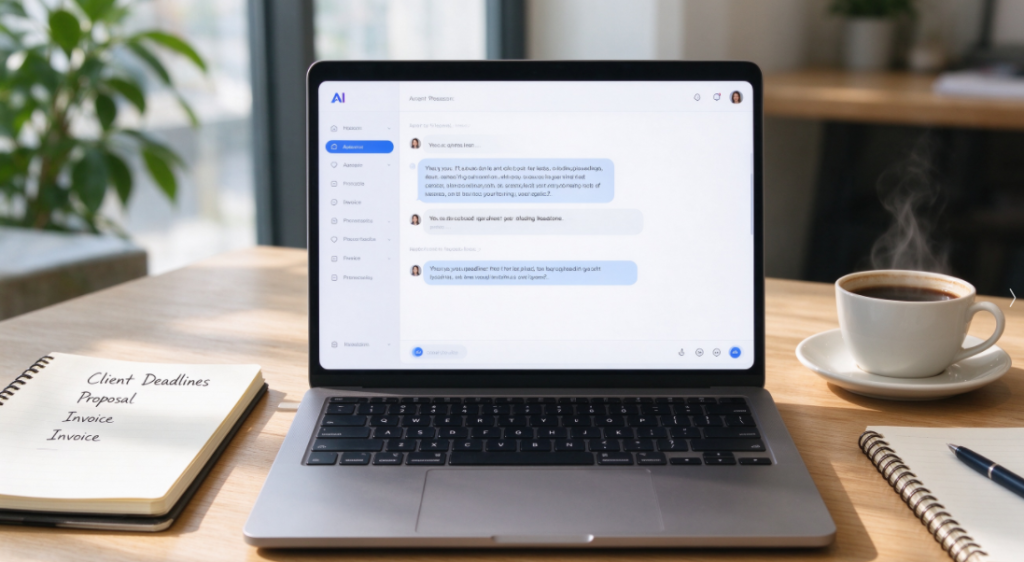
Most articles ranking the best AI tools for freelancers are written by people who never had to send an invoice at 11 PM or explain scope creep to an angry client. They list ten tools, say “great for productivity,” and move on.
I did it differently. I pre-tested each tool, then used it on real client work with real deadlines. This review covers what actually holds up in 2026.
Direct Answer: The Best Free AI Tools for Freelancers in 2026
| Tool | Account Needed? | Best For | Cost |
|---|---|---|---|
| ChatGPT Free | Email only | Proposals, client emails, research | $0 |
| Claude Free | Email only | Long documents, contracts, editing | $0 |
| Microsoft Copilot | No — opens directly | Quick answers, research summaries | $0 |
| Canva Free | Email only | Invoices, pitch decks, social graphics | $0 |
These four cover nearly every freelance workflow at zero monthly cost.
The #1 lesson: Never open an AI tool without a real task in front of you. Generic prompts produce generic output. Paste in the actual client email, the actual contract clause, the actual project brief — that’s when AI stops being a toy and starts saving you hours.
ChatGPT Free was my first pick. I pasted a confusing client message and asked for a polite reply that pushed back on scope creep. It worked. My client said yes.
6 Real Freelance Use Cases I Tested
01 — Replying to a Scope Creep Request
Tool: ChatGPT Free · Time: 4 minutes · Account needed: Email
A client asked me to “just add a few more pages” to a finished website project — three weeks after delivery and outside our original agreement.
I pasted the client’s message into ChatGPT and asked for a reply that was friendly, firm, and offered a paid add-on option. The response arrived in seconds.
What it produced: A three-paragraph reply that thanked them, restated the original scope, explained why the extra pages counted as new work, and offered a fixed-price add-on. I sent it almost unchanged.
The client approved the add-on. That single reply paid for the entire week of testing.
02 — Writing a Proposal From a Messy Brief
Tool: Claude Free · Time: 7 minutes · Account needed: Email
A potential client sent a two-page brain dump: goals, random feature ideas, budget hints, and a deadline buried in paragraph four.
I pasted the whole thing into Claude and asked for a structured proposal with scope, timeline, deliverables, and a pricing section. It organized the chaos into a clean three-section document.
What surprised me: It flagged that the budget mentioned in paragraph two didn’t match the scope described in paragraph four. I hadn’t noticed. That saved an awkward conversation later.
03 — Turning a Contract Into Plain English
Tool: Claude Free · Time: 5 minutes · Account needed: Email
A client sent a 9-page contract. I understood most of it, but two clauses about intellectual property and payment terms were written in dense legal language.
I pasted those two sections into Claude and asked for a plain-English summary plus a list of anything that seemed unusual. It explained both clauses clearly and flagged one payment term that gave the client 60 days to pay — much longer than my usual 14.
I renegotiated to 30 days. That one change improved my cash flow for the whole project.
04 — Creating an Invoice and Pitch Deck
Tool: Canva Free · Time: 12 minutes · Account needed: Email
I used Canva Free to build a simple invoice template and a five-slide pitch deck for a new client.
The template library had everything I needed. I customized colors and fonts in minutes and exported both as PDFs. No design skills required.
What I noticed: Some of the best templates are Pro-only. The free options are still good enough for most freelance needs — invoices, simple decks, social graphics.
After testing dozens of platforms, I narrowed down the Best Free AI Tools for Freelancers in the USA to only those that deliver real value without hidden paywalls.
05 — Researching a New Industry Before a Call
Tool: Microsoft Copilot · Time: 6 minutes · Account needed: No
I had a discovery call with a client in a niche I knew nothing about. I opened Copilot — no login needed — and asked for a plain-language overview of the industry, common terminology, and three questions I should ask.
The answer came back in about 15 seconds with a clear structure. I walked into the call sounding informed.
Why this mattered: Copilot’s no-login access made it the fastest tool for quick research. No account, no friction, just answers.
06 — Editing a Long Client Document Without Losing My Voice
Tool: Claude Free · Time: 10 minutes · Account needed: Email
A client sent back a 4,000-word document with a note saying it “felt too long.” I pasted it into Claude and asked for a tightened version that kept my tone and cut repetition.
What worked: Claude preserved my phrasing while cutting about 20% of the word count. It flagged three sections that repeated the same point and suggested merging them.
What I had to watch: Some AI editors flatten your voice. Claude was gentler than most, but I still reviewed every paragraph and rewrote two sections that sounded too neutral.
Complete Free Freelancer AI Tools Comparison
| Tool | Account Required? | Cost | Best Freelance Use Case | Confusion Level | Verdict |
|---|---|---|---|---|---|
| Microsoft Copilot | No — open directly | $0 | Quick research, industry overviews | None | Start here |
| ChatGPT Free | Email only | $0 | Client emails, proposals, pushback replies | Low | Best overall |
| Claude Free | Email only | $0 | Contracts, long documents, editing | Low | Best for long text |
| Canva Free | Email only | $0 | Invoices, pitch decks, social graphics | Very low | Best for visuals |
Setup Guide for Freelancers
Before opening any tool, have the real task in front of you. Paste in the actual email, contract, or brief. Generic prompts waste your time.
Start with Microsoft Copilot. Open it on desktop — no login required. Use it for quick research and simple questions.
Set up ChatGPT Free for client communication. This is where it earns its keep — replies, proposals, and scope conversations.
Set up Claude Free for long documents. Contracts, editing, and anything over 1,000 words.
Set up Canva Free for invoices and visuals. The free tier is enough for most freelance work.
Print a cheat sheet with each tool, its website, and one-sentence purpose. It saves you from forgetting which tool does what.
Final Thoughts
All four AI tools I tested are completely free, with no mandatory paid subscriptions. For freelancers handling client communication, proposals, contracts, research, and invoices, these low-barrier tools deliver real value.
One last note: the tool matters less than the input. My best results came from pasting in real client material, not from asking clever questions. Start with a real task, and AI stops feeling like hype.
Disclaimer: AI tools provide general information only and cannot replace professional legal, financial, or tax advice. Always consult qualified professionals for contract, billing, and tax decisions.
Author Note: I tested these tools over one week of real freelance client work. No sponsorship, no affiliate relationship with any tool mentioned. Pricing and free-tier limits were verified at the time of writing — check each official site for current terms, as they vary by region and promotion.
Published September 2026.

best free ai transcription tool otter.ai: Meeting Notes (2026)
[…] I spent a full week testing Otter.ai on real sales team meeting recordings. It is one of the best free AI transcription tools for quick meeting note-taking, with reliable speaker detection and handy multi-format exports. That […]